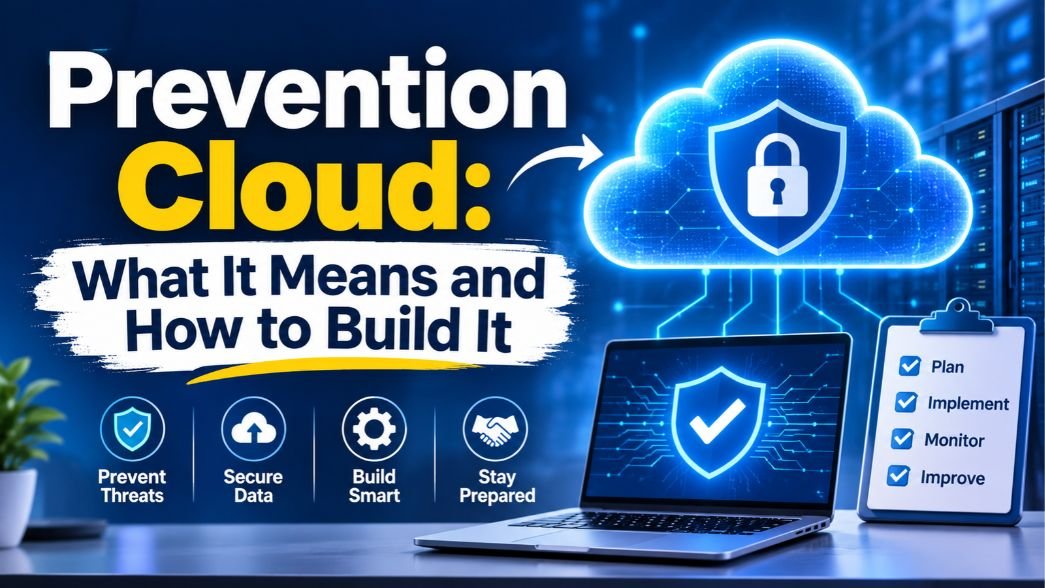
“Prevention cloud” usually means a prevention-first approach to cloud security. You block risky settings, weak access and unsafe deployments before attackers can use them.
Instead of waiting for an alert and cleaning up afterward, you remove the openings in the first place. It works best when paired with monitoring, because no prevention setup catches everything.
Key Takeaways
- Prevention-first cloud security stops problems before they reach production instead of reacting after exposure.
- Misconfigurations and weak identity controls are the most common cloud weak spots, so start there.
- Third-party access is now involved in about 30% of breaches, so vendor accounts need the same care as employee accounts.
- Breaches are getting costlier: IBM’s 2026 report puts the global average at $4.99 million.
- Prevention is not enough on its own. Pair it with detection and a tested response plan.
- You can start small: inventory your assets, lock down identity, and add guardrails.
What Is Prevention-First Cloud Security?
Prevention-first cloud security is the practice of stopping weaknesses before they cause harm. One vendor describes it as stopping misconfigurations, policy violations, and risky deployments before they reach production. In plain terms, you build safety checks into how your team creates and changes cloud resources, so the unsafe version never goes live.
Think of a building. A detection-only approach is a smoke alarm: it tells you the fire has started. A prevention-first approach is fireproof wiring and a code inspection before anyone moves in. You still want the alarm, but you’d rather not need it.
Prevention vs. detection vs. response
| Approach | The question it answers | Example | Limit |
| Prevention | Can we stop this from happening? | Blocking public storage, requiring MFA | Can’t stop every attack |
| Detection | Is something wrong right now? | Alerts on unusual logins | Finds problems after exposure |
| Response | How do we contain and recover? | Locking a compromised account, restoring data | Usually the most expensive stage |
Why prevention alone isn’t enough
Some security teams push back on “prevention-first” as a slogan, and they have a point. Sysdig has argued that prevention is a crucial part of security but isn’t sufficient against advanced cloud threats. Stolen credentials, new software flaws, and a determined insider can all get past good controls.
The sensible view is layered. Prevent what you can, watch for what you can’t, and rehearse what you’ll do when something slips through.
Why Does Prevention Matter More Now?
Breaches are expensive, and attackers are getting faster. Three recent sources paint the picture.
Costs are climbing: IBM’s 2026 Cost of a Data Breach report puts the global average at $4.99 million, a 12% increase and a record high. In the United States, the average was $11.5 million per incident.
AI is speeding attackers up: In the same report, AI-driven attacks rose 56% and added about $1 million to the average breach. Defenders can use the same tools: organizations that used AI and automation extensively saved about $1.93 million per breach.
Breaches take months to contain: The average time to identify and contain a breach rose to 247 days, the first increase in five years. That’s a long window for an attacker to work.
The way in is often ordinary. Verizon’s 2025 report found that credential abuse (22%) and vulnerability exploitation (20%) were the leading ways attackers got in. Verizon also found that third-party involvement in breaches doubled from 15% to 30%.
The Cloud Security Alliance ranks misconfiguration as the top cloud threat, with identity and access management close behind. Both are problems you can often fix before anyone attacks.
What Should You Prevent First?
You can’t prevent everything at once. These five areas give the best return for most teams, in rough order.
1. Misconfigurations
A misconfiguration is a setting that leaves something exposed, such as a storage bucket open to the internet or a firewall rule that allows far more traffic than needed. They’re common because cloud platforms make it easy to create resources quickly and easy to forget about them.
Real Example: a cloud misconfiguration at Toyota left vehicle and customer data exposed for more than eight years, affecting about 260,000 customers. The CSA’s write-up notes that routine security audits weren’t being performed. Nobody attacked a clever flaw. A door was left open and nobody checked it.
2. Identity and access problems
Too many people and services have too much access. The fix is least privilege: each person or system gets only what its job needs, nothing more. Add multi-factor authentication (MFA) everywhere you can, and review who has admin rights on a schedule.
IBM’s 2026 data points the same way. Among the cost factors it analyzed, identity and access management ranked among the strongest cost reducers.
3. Unpatched and exposed services
Verizon found exploitation of vulnerabilities grew 34% as an entry route, with a focus on zero-day attacks against perimeter devices and VPNs. Internet-facing systems need patching first, and anything that doesn’t need to be public shouldn’t be.
4. Third-party and supply chain access
Vendors, contractors, and connected apps often hold standing access to your systems. One security analysis put it well: third-party exposure has become an identity problem, not just a supplier-risk problem. List every outside party that can log in or pull data, and remove access that nobody remembers granting.
5. Leaked secrets and credentials
API keys and passwords end up in code repositories more often than teams like to admit. Verizon’s researchers found that the median time to fix leaked secrets found in GitHub repositories was 94 days. Automated secret scanning and routine key rotation shrink that window.
How Do You Build a Prevention Strategy? (Step by Step)
Here’s a practical order of work. A small IT team can start with steps 1 to 3 this month.
- Inventory your cloud assets: You can’t protect what you can’t see. List your accounts, subscriptions, storage, databases, and the SaaS apps your teams use. Expect surprises. Thales’ 2025 study found organizations use an average of 85 SaaS applications.
- Map your side of the shared responsibility model: Cloud providers secure the underlying infrastructure. You’re responsible for your configurations, your data, and who has access. Write down which controls belong to you for each service.
- Lock down identity: Turn on MFA, remove unused accounts, replace broad admin roles with narrower ones, and require single sign-on where possible.
- Set guardrails: Use policies that block risky actions automatically, such as creating a publicly readable storage bucket. Guardrails beat guidelines because people can’t forget them.
- Check code before it deploys: If your team defines infrastructure in code, scan those templates for risky settings before release. Catching a problem in a pull request is cheaper than catching it in production. IBM found that adopting a DevSecOps approach reduced average breach costs by about $253,805.
- Watch for drift: Settings change over time as people make quick fixes. Continuous scanning flags when a resource drifts away from your approved setup, and automation can fix the simple cases.
- Add detection and a response plan: Log important activity, set alerts for high-risk events, and decide ahead of time who does what during an incident.
Prevention Tools and Approaches Compared
You don’t need every tool on day one. Here’s what each category does.
| Category | What it does | Best for |
| CSPM (cloud security posture management) | Scans cloud settings for misconfigurations and compliance gaps | A first step toward visibility |
| CIEM (cloud infrastructure entitlement management) | Finds over-permissioned users and roles | Cleaning up access sprawl |
| IaC scanning | Checks infrastructure-as-code before deployment | Teams that deploy often |
| CNAPP (cloud-native application protection platform) | Combines posture, workload, and identity checks in one view | Larger or multi-cloud teams |
| Identity controls (SSO, MFA) | Verifies who is signing in | Every organization |
| Secret scanning | Finds exposed keys and passwords in code | Any team using code repositories |
A tip that rarely appears in vendor guides: start with the free or built-in tools from your cloud provider before buying anything. Learn what your findings look like first, so you can judge whether a paid platform adds something you need.
What Usually Goes Wrong
A few mistakes show up again and again.
- Collecting alerts instead of fixing them: A dashboard with thousands of findings can feel like progress. Rank them: fix anything exposed to the internet or tied to admin access first.
- No owner for each resource: If nobody owns a storage bucket, nobody fixes it. Tag every resource with an owner.
- One-time clean-ups: A tidy environment today drifts out of shape within weeks without ongoing checks.
- Treating vendor access as safe: Outside accounts often get less review than employee accounts, even though third-party involvement in breaches has doubled.
- Skipping the response plan: Teams that invest only in prevention can freeze when something does get through.
- Trusting stale statistics: Breach-cost numbers change every year. If you’re building a business case, use the current report. IBM’s 2026 edition was released on July 29.
A Realistic Scenario: Before and After
Imagine a 40-person company where a developer creates a cloud storage bucket for a quick test and makes it public so a colleague can grab a file. The test ends. The bucket stays. Six months later it holds customer exports, and nobody remembers it exists.
Before prevention: The bucket sits open until a researcher, a customer, or an attacker finds it. The company learns about the problem from the outside.
After prevention: A guardrail blocks public buckets by default. A developer who needs to share a file must use a time-limited link. A weekly scan flags anything unusual, and every bucket has an owner tag. The same developer makes the same quick decision, but the risky outcome is no longer possible.
More Post: Technology Sleeping: How Sleep Technology Works, Benefits and Risks
FAQs
What is prevention-first cloud security?
It’s an approach that stops risky settings, weak access, and unsafe deployments before they reach production. Instead of relying mainly on alerts after a problem appears, you use guardrails, policies, and checks to keep problems from appearing at all.
Is prevention better than detection?
Neither works alone. Prevention reduces how many problems occur, and detection catches the ones that get through. A balanced program uses both, plus a response plan, because no set of controls blocks everything.
What are the biggest cloud security threats?
The Cloud Security Alliance ranks misconfiguration and weak identity and access management at the top. Other major risks include unpatched systems, insecure software, and third-party access. Verizon’s 2025 data also points to credential abuse as a leading way attackers get in.
What is the shared responsibility model?
It’s the split between what your cloud provider secures and what you secure. The provider protects the underlying infrastructure. You’re responsible for your data, configurations, and user access. Many cloud incidents come from customers assuming the provider handles more than it does.
How can a small business start with cloud prevention?
Start with a list of your cloud accounts and apps, turn on MFA for everyone, and remove unused accounts. Then block public storage by default and use your cloud provider’s built-in security tools. These steps cost little and close the most common gaps.
How much does a cloud breach cost?
IBM’s 2026 report puts the global average breach cost at $4.99 million and the U.S. average at $11.5 million. Costs vary by industry, region, and how quickly the breach is found. Treat these as benchmarks, not predictions for your business.